Viewing Link Status
Once you send a personalized link, FormVue can track a customer's engagement with it and even send autmatic reminders.
Viewing Link Status
FormVue links sent using Personlaized Links or the Embeddable button can be tracked and viewed on the Links page.
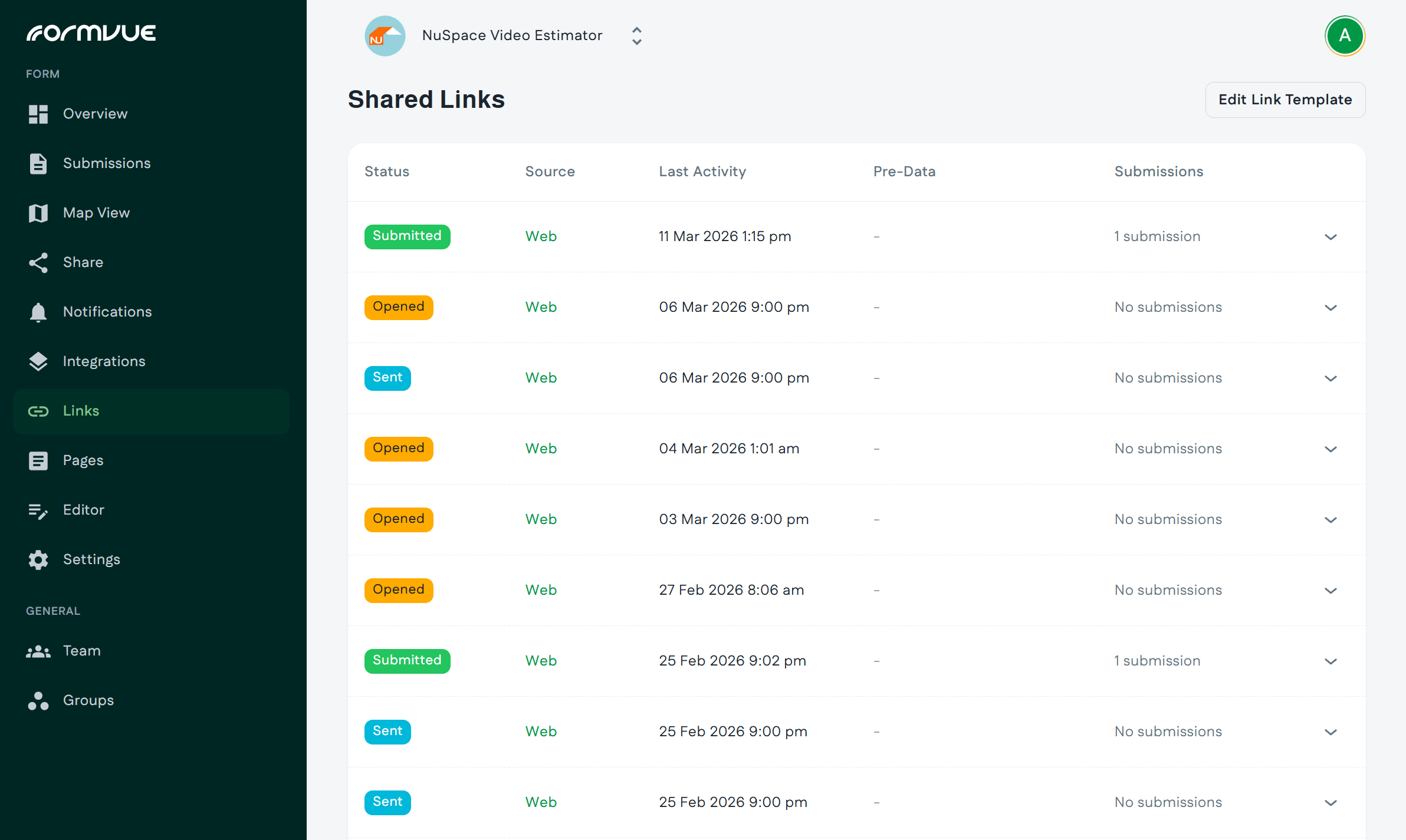
The Links page shows the status and details of each link you have sent:
- Status shows the status of the link:
- Sent: the message has been sent to the customer, but they have not yet clicked the form link
- Opened: The customer has opened the message but has not yet clicked the form link
- Submitted: The customer opened the message, clicked the link, and completed the form submission
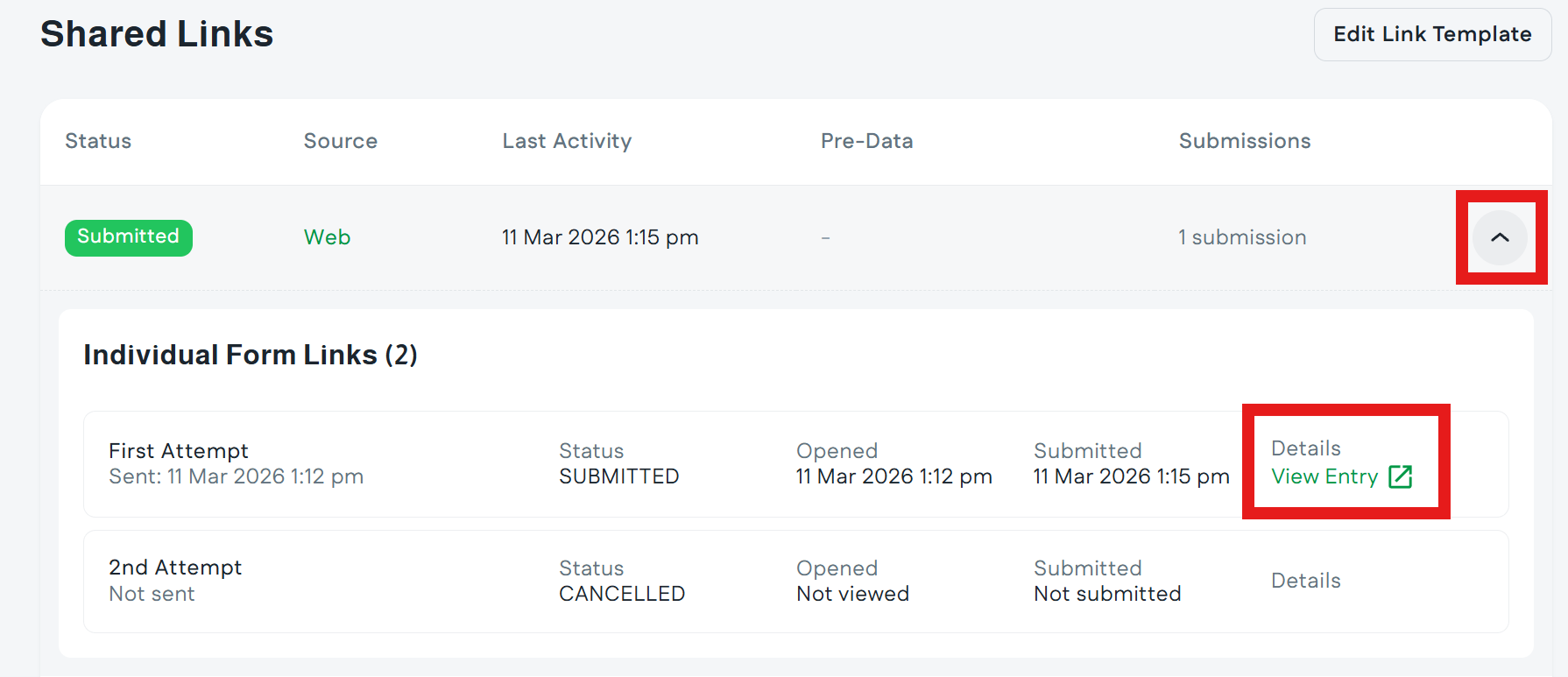
- Clicking the drop-down arrow next to each link will show additional details:
- Since FormVue automatically sends reminders if Links have not been opened, you can see the details for sent and scheduled reminders
- Reminders are sent at 6:00 PM at the customer's local time on the same day the original link was sent.
- If a link has a Submitted status, there will be a link to View Entry which will open the submission to view.