Changing your FormVue password
If your account is compromised or you need to update a password that was set by the FormVue team, you can easily change your password at any time from both the web and mobile applications.
Changing your passoword from the FormVue web application
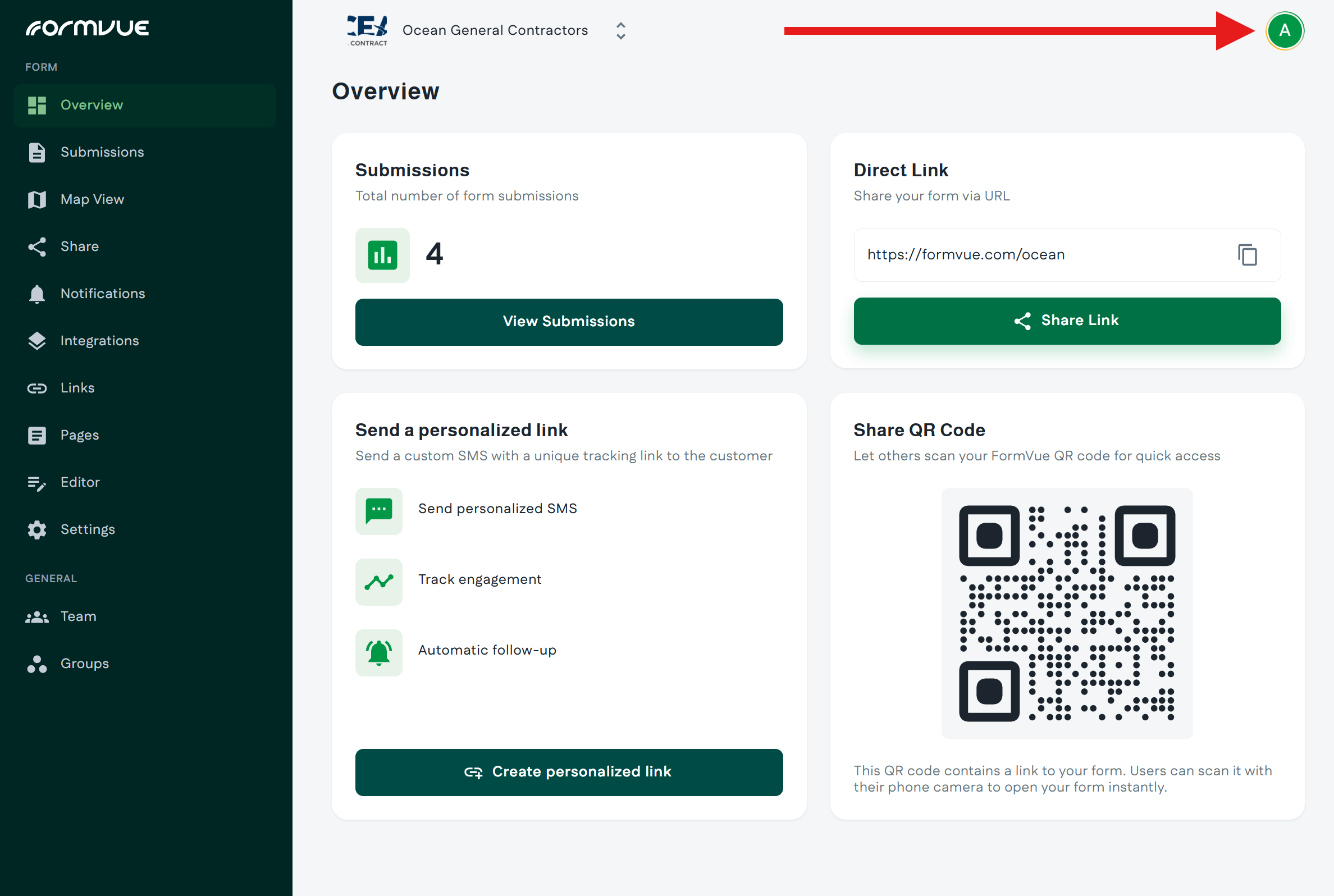
Once logged into FormVue from a supported browser on your computer, use the below steps to change your password:
- Click the Profile icon in the top right corner
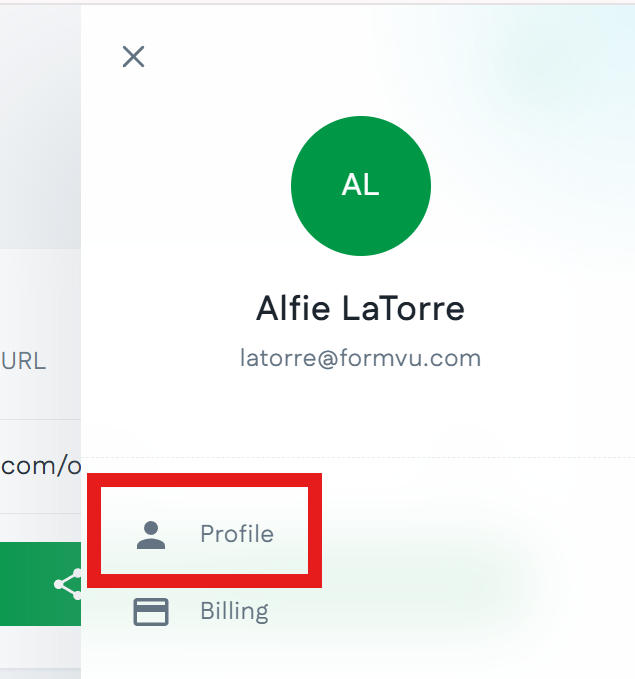
- Select Profile from the menu
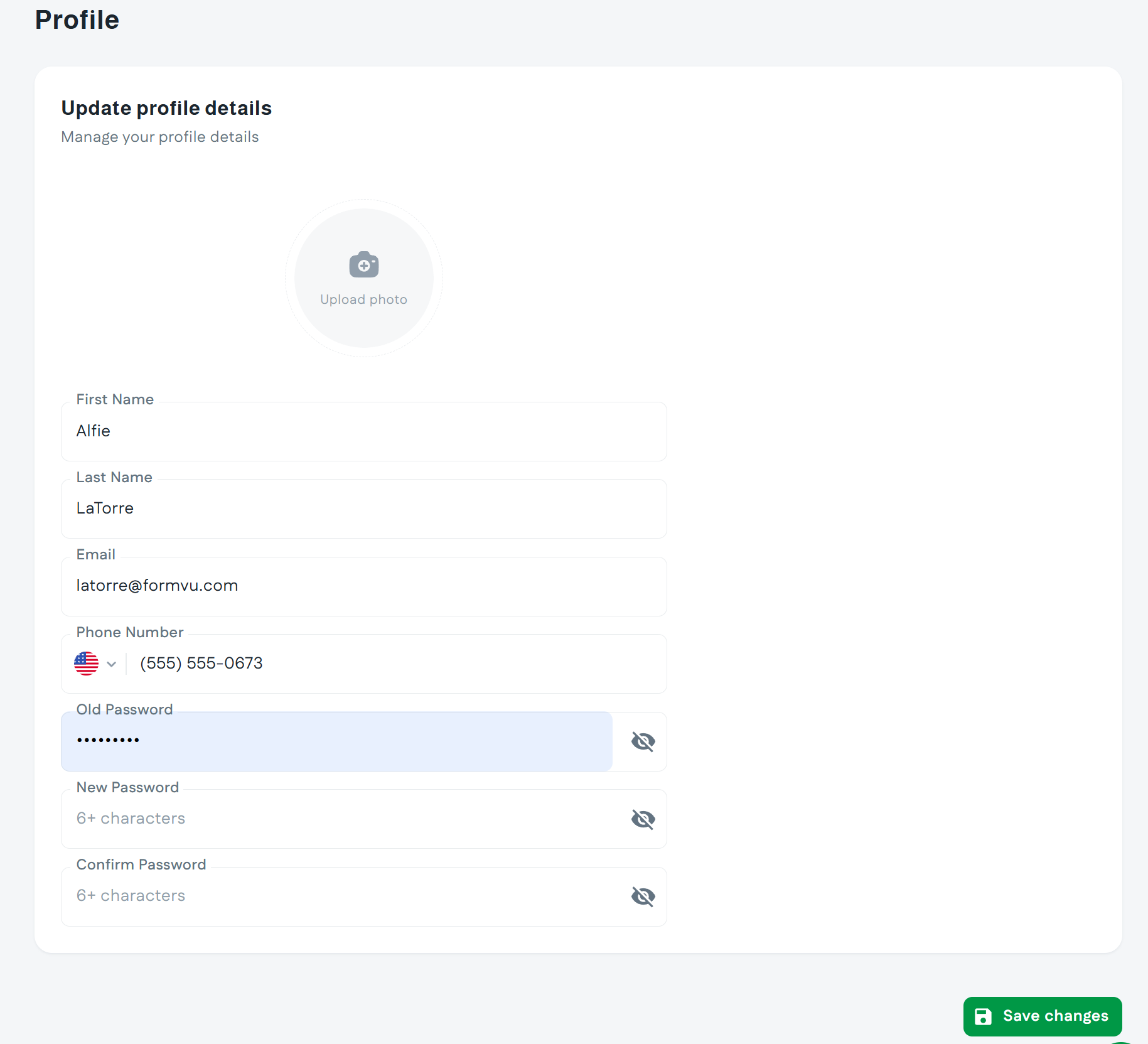
- Enter your existing password and the new password you would like to change it to
- Click the Save Changes button at the bottom of the page
Changing your passoword from the FormVue Mobile application
Once logged into FormVue mobile app on your phone, use the below steps to change your password:
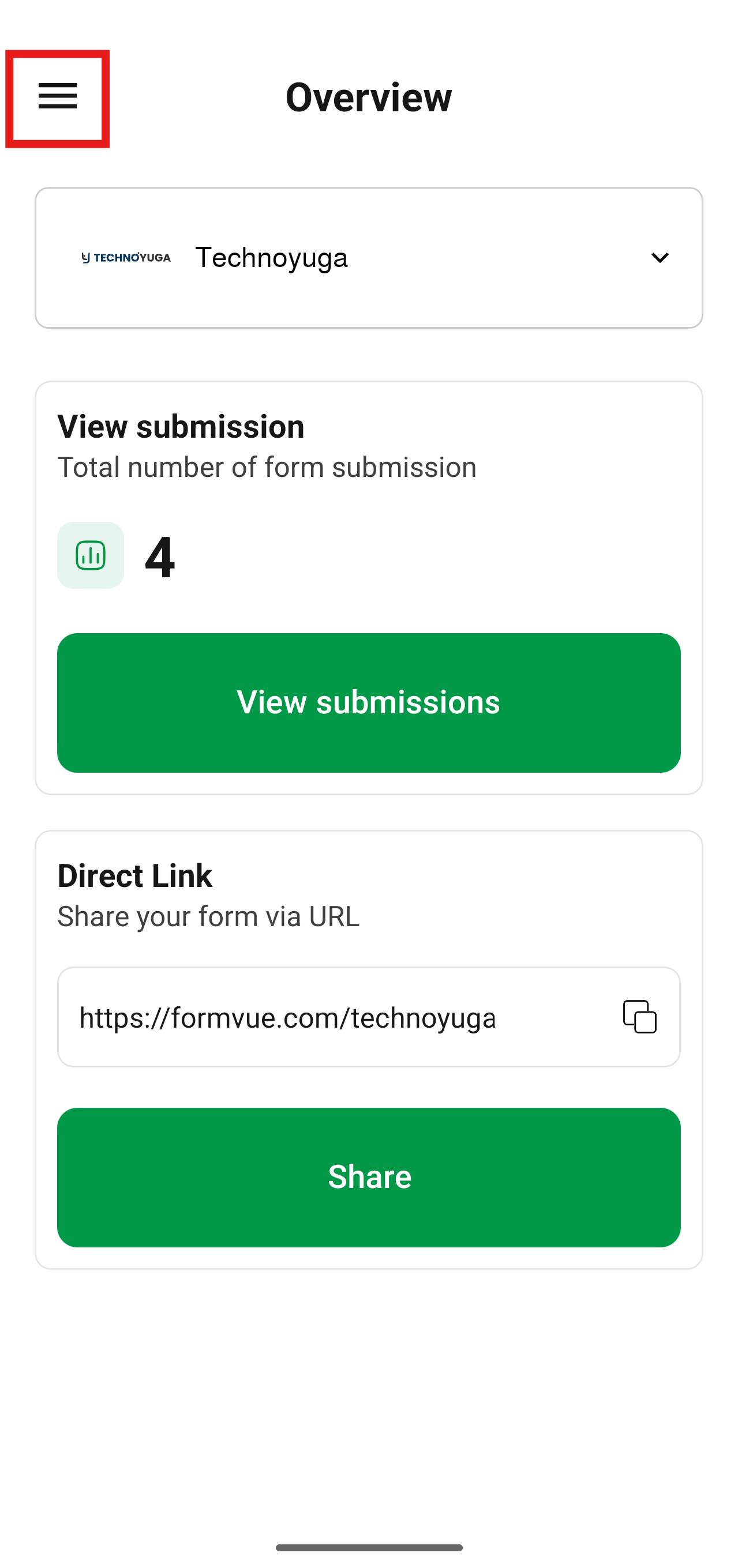
- Click the menu button in the top left corner
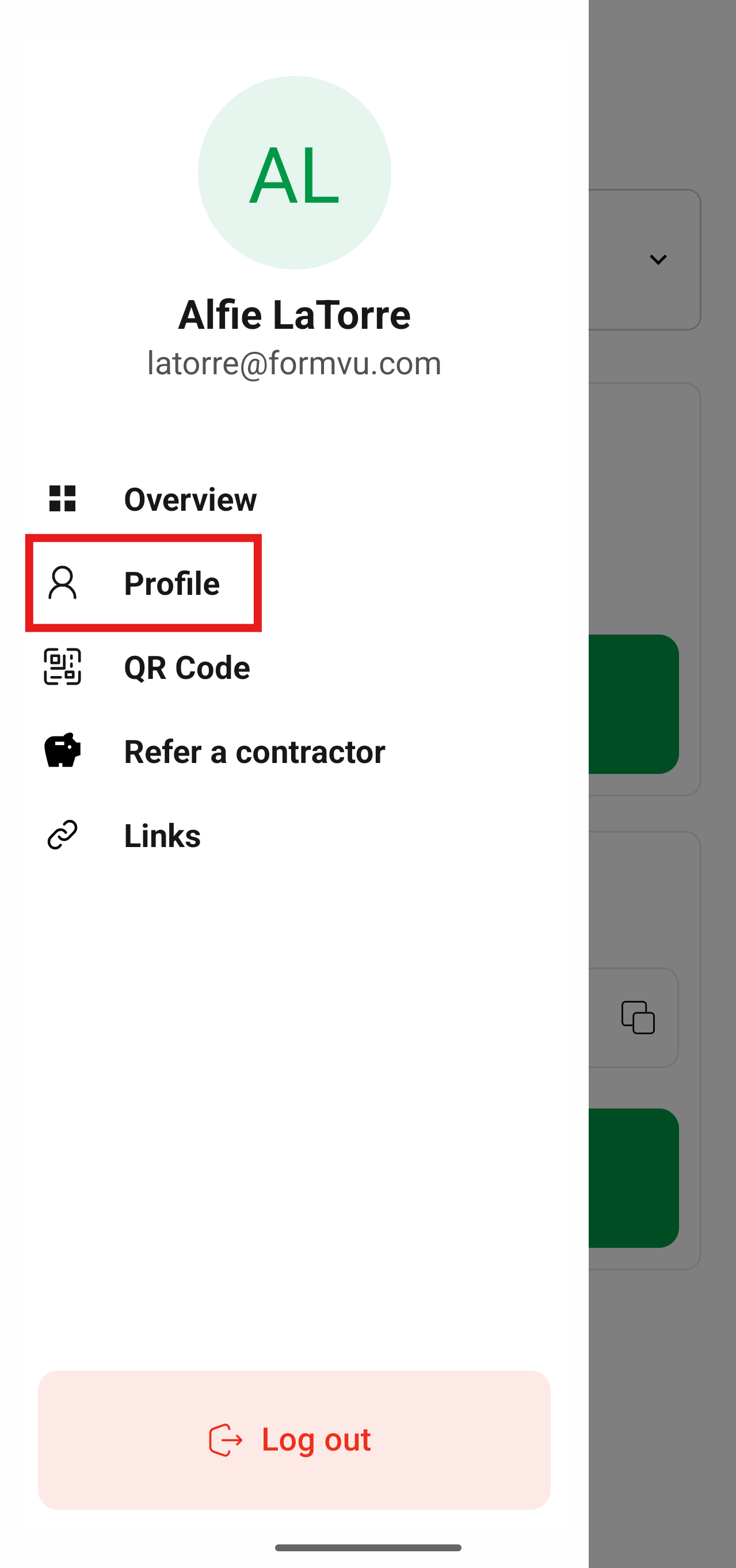
- Select Profile from the menu
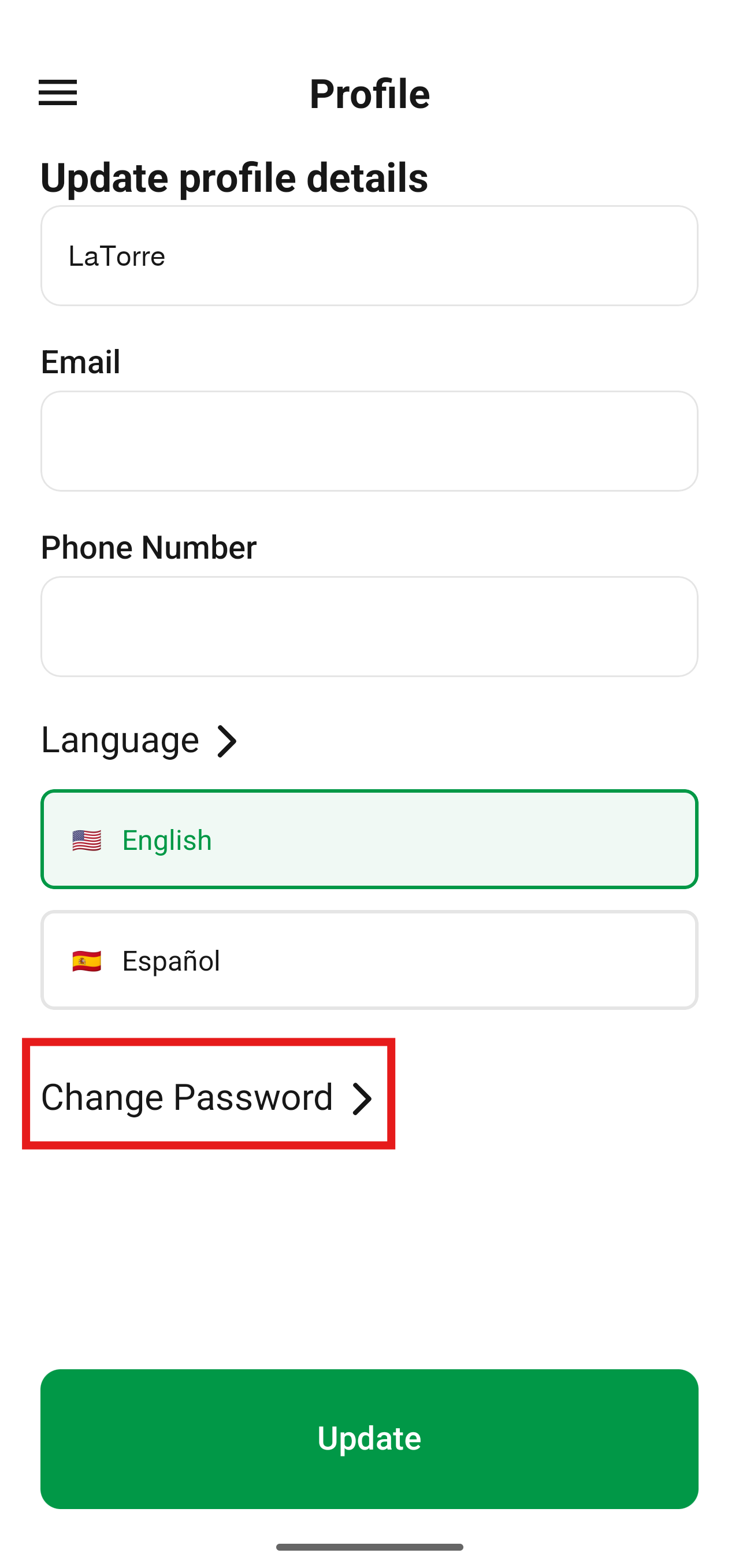
- Scroll down and Select Change Password from the Profile page
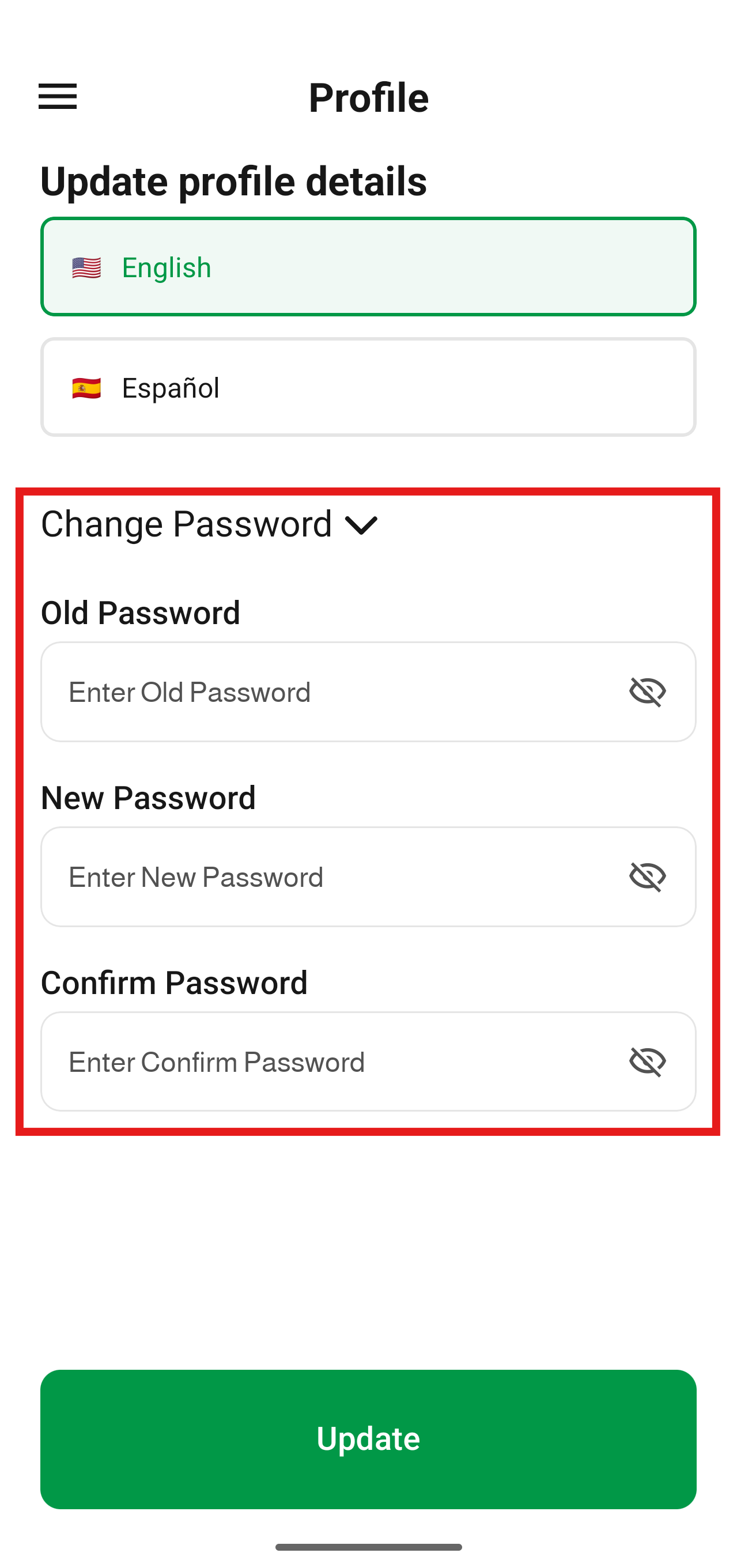
- Enter your existing password and the new password you would like to change it to
- Select the Update button at the bottom of the page