
Sending Personalized Links
The personalized link is the best way to send your form link to your prospects or customers. It requires a phone number so it works best when a customer or prospect reaches out to you first.
Sending a Personalized Link (Web)
To send Personalized links from the FormVue mobile app, see: Using the FormVue Mobile App
To send a personalized link, follow the below steps:
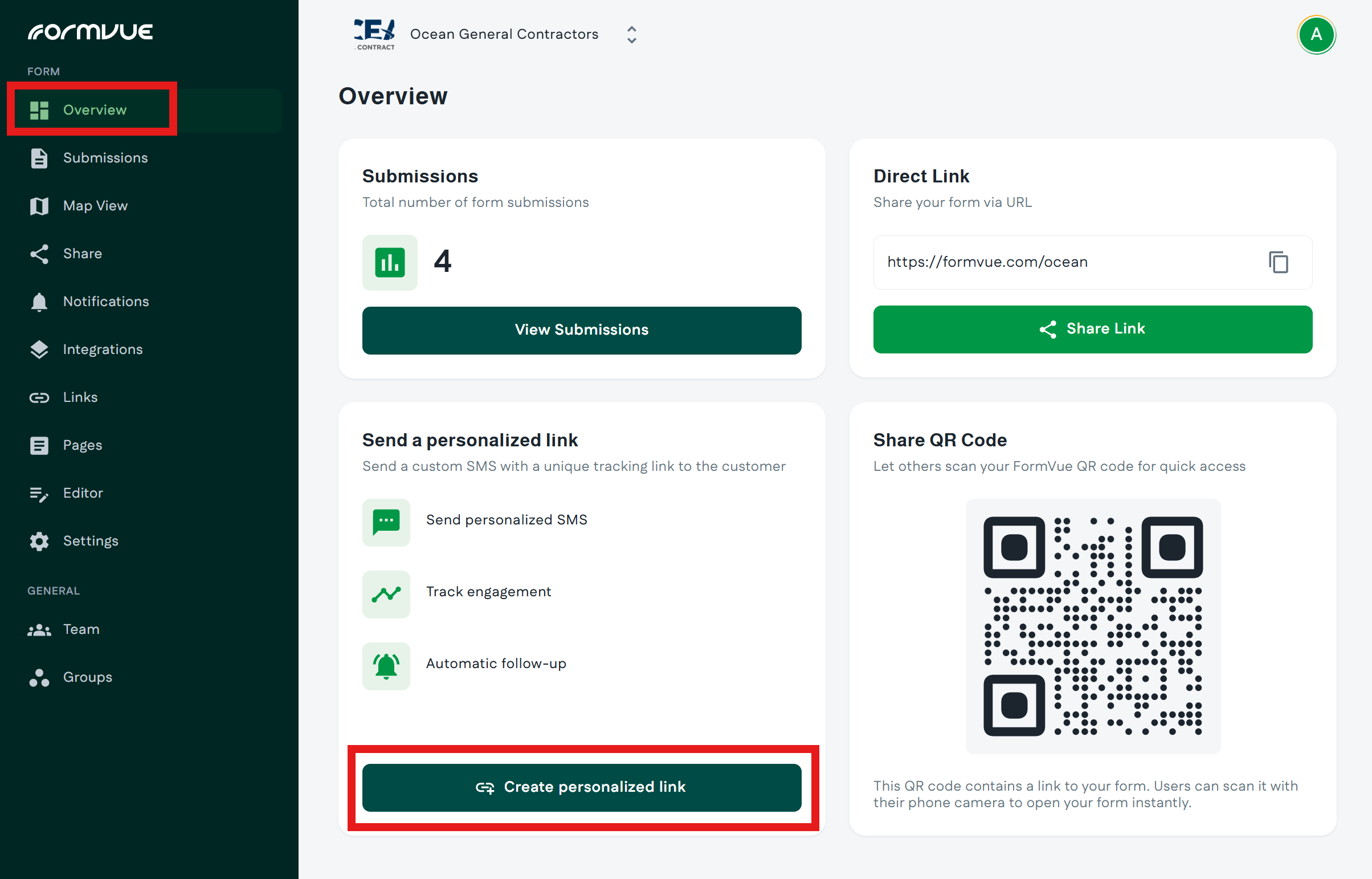
- Login to FormVue from the web (https://formvue.com/sign-in)
- From the Overview or Share page and select Create personalized link
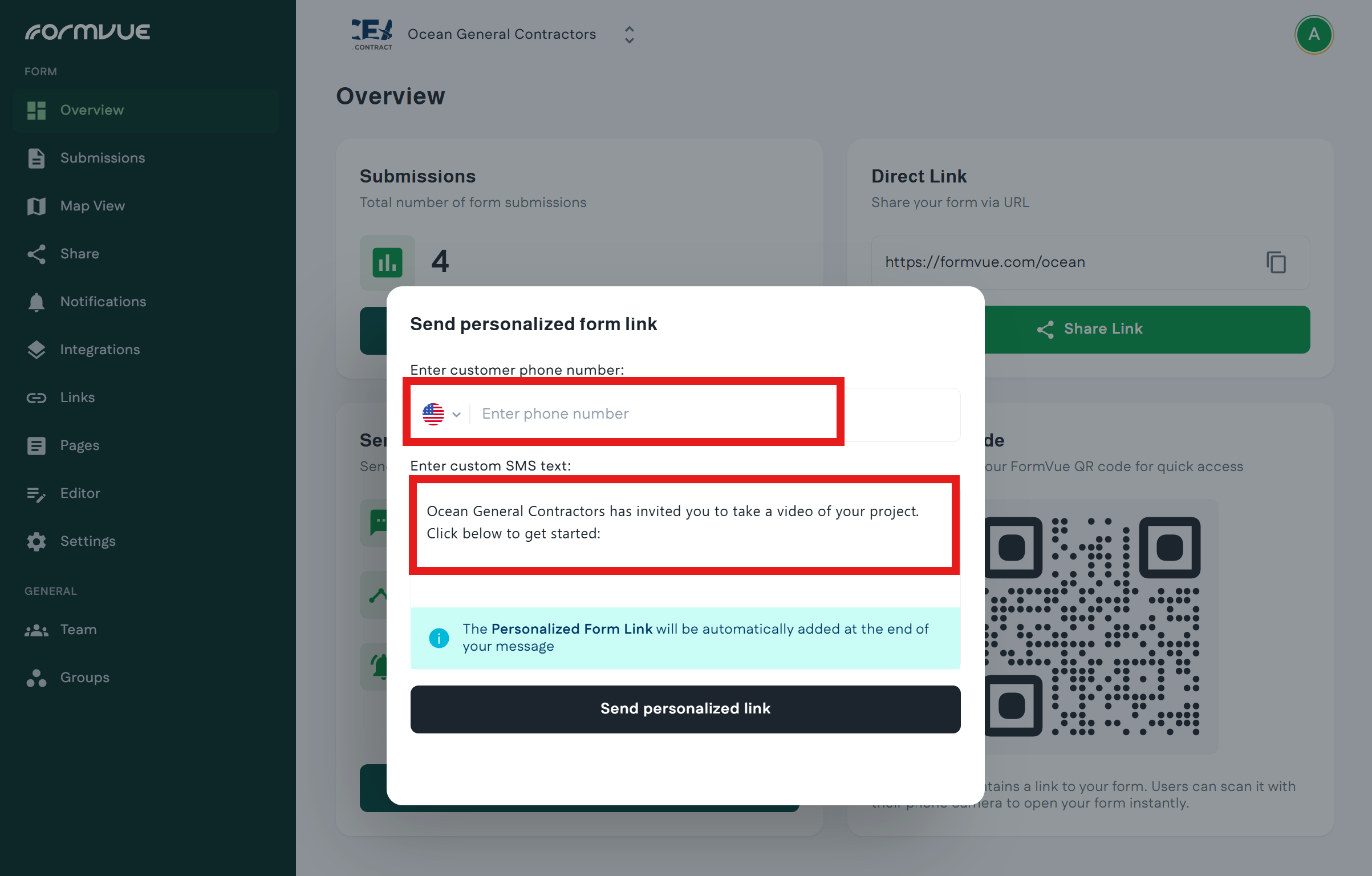
- In the window that opens, enter your customer's phone number, and optionally, edit the custom message.
- It's a good idea to add the customer's name to the message so they know it came from you.
- The custom message is based on a template that can be modified from the Links page
- Click Send personalized link at the bottom of the window to send the link
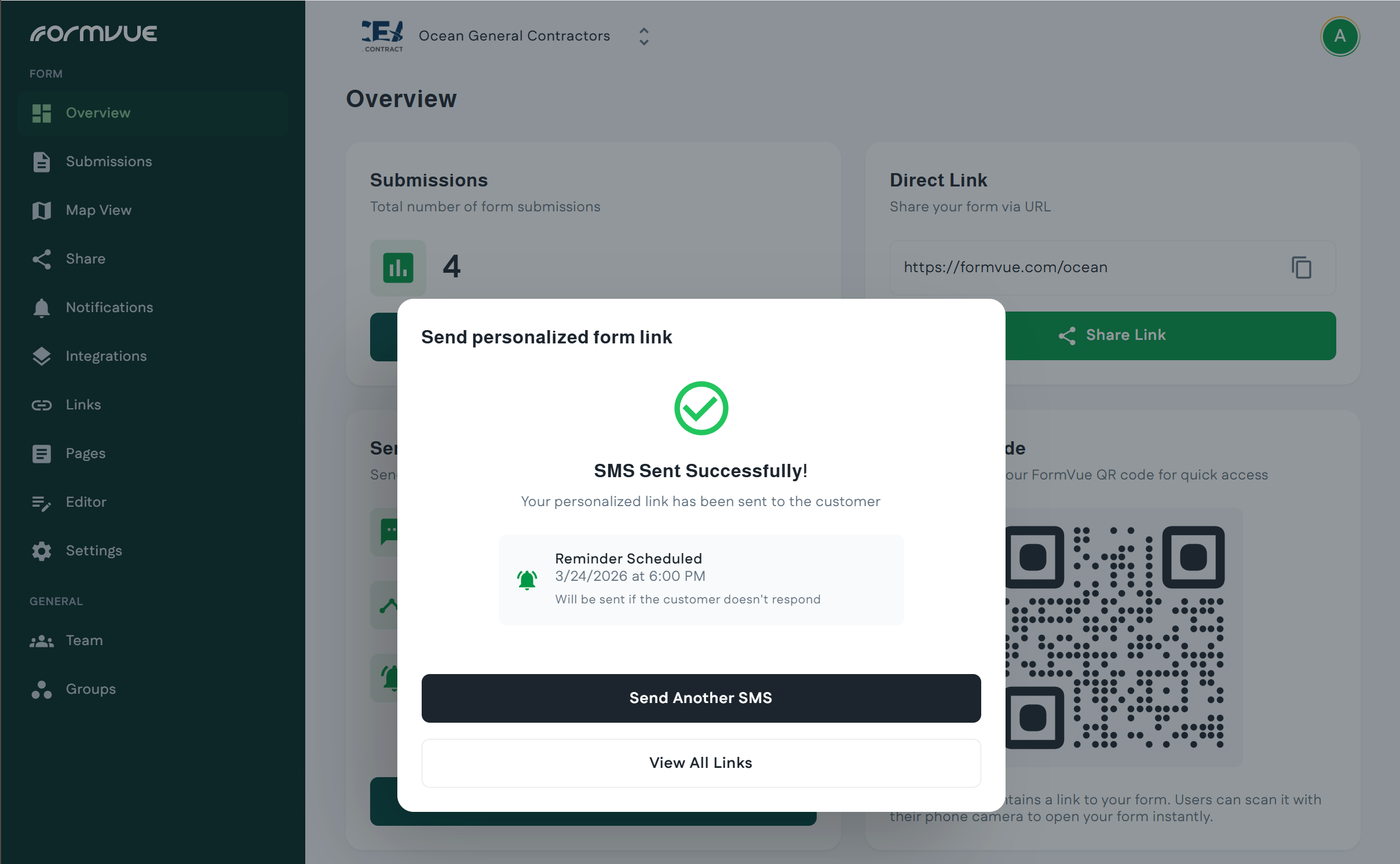
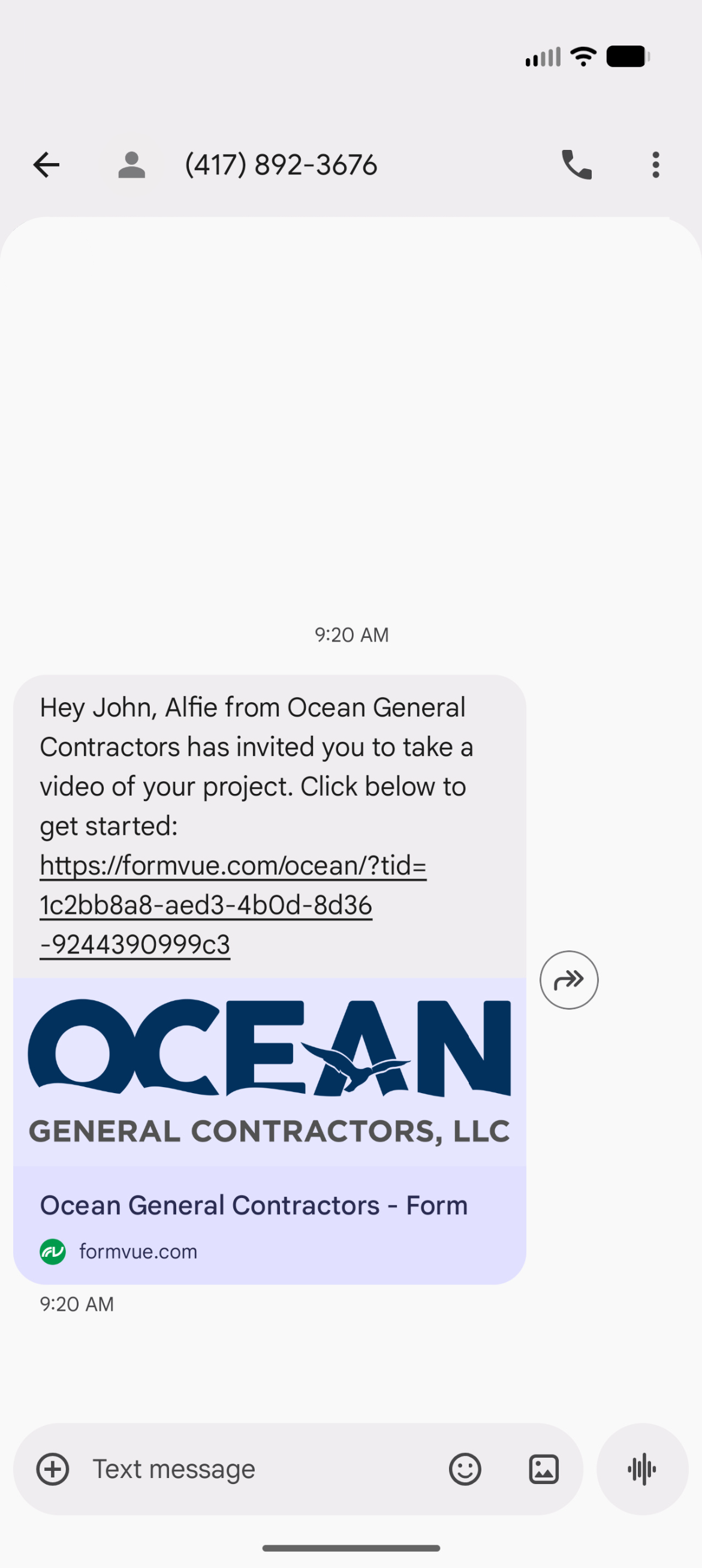
- FormVue will send a text message to your customer on your behalf that includes the custom message and a link to your form. You will now see a confirmation that the message was sent:
- When you send a personalized link, FormVue can track the customer's engagement. You can see this from the Links page on the left-hand menu or by clicking View All Links in the success window.
Learn more about Viewing Link Status.